Table of Contents
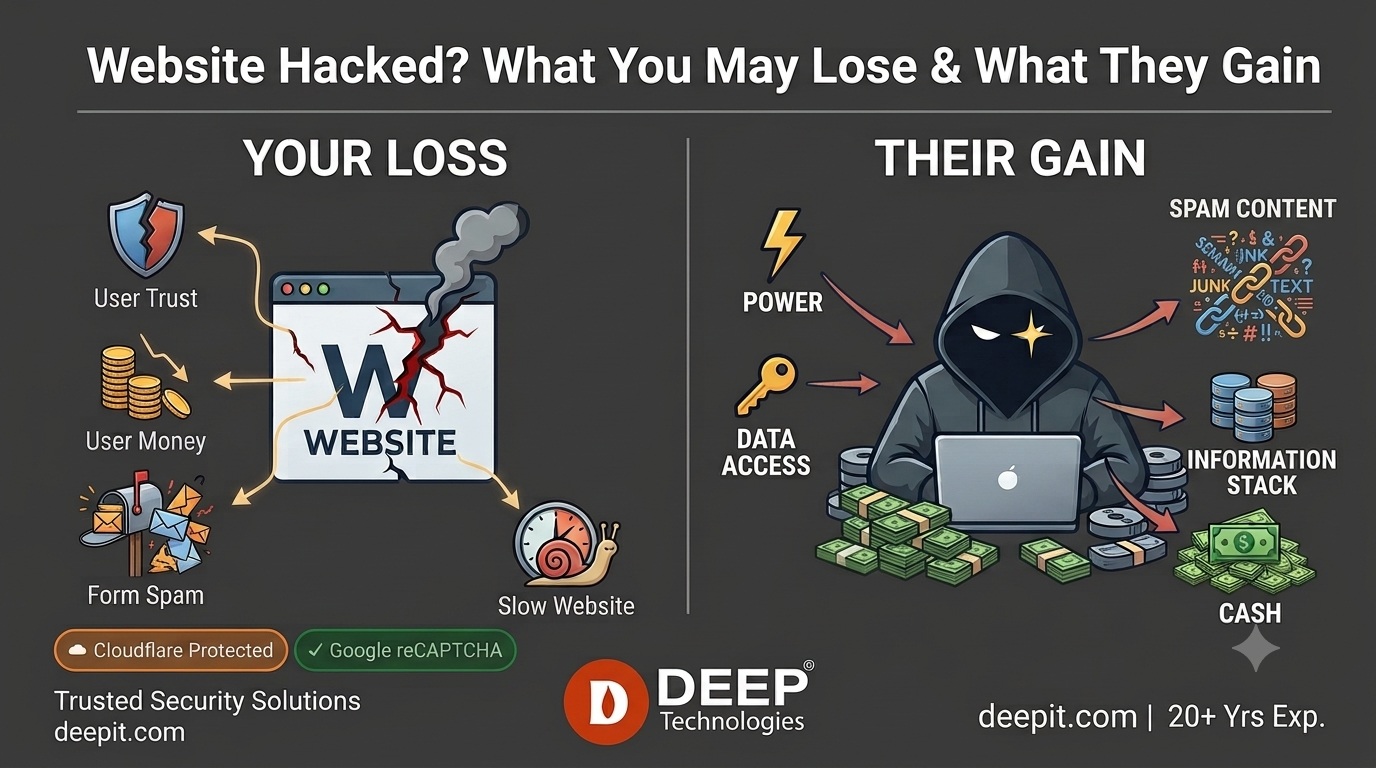
Website Hacked? What You May Lose & Attackers Benefits.
Most business owners think a hacked website is just a “website problem.” It isn’t. It’s a business emergency — and your customers, data, and reputation are all on the line.
Every day, over 30,000 websites are hacked worldwide. WordPress sites — the most popular platform in the world — are the #1 target. If your website runs on WordPress or a shared cPanel server, this article is written for you
Whether you run a WordPress site, a Laravel application, or a cPanel-hosted server — attackers follow the same playbook. Here’s what they’re really trying to accomplish:
Automated bots scan your site for known weaknesses: outdated plugins, vulnerable themes, unpatched PHP apps, weak admin passwords, exposed APIs, and misconfigured servers.
The Attacker’s Benefit:
- Full website or server access if a weakness is found
- Finding just one unpatched loophole grants them full backdoor access to your website files or backend database.
The Attacker’s Benefit: They get a free email infrastructure. Because your company’s domain name is reputable, their spam successfully bypasses email filters.
The Damage to You: Major providers (like Gmail and Outlook) will blacklist your domain. Suddenly, your legitimate business emails to real clients go straight to their junk folders.
- Ability to install backdoors undetected2) Sending spam emailsAttackers use your server as a free email relay. Your legitimate domain has good reputation — so their spam lands in inboxes instead of junk folders.
The Attacker’s Benefit: They get a free email infrastructure. Because your company’s domain name is reputable, their spam successfully bypasses email filters.
The Damage to You: Major providers (like Gmail and Outlook) will blacklist your domain. Suddenly, your legitimate business emails to real clients go straight to their junk folders.
Hidden identity — your IP takes the blame
3) Data theft
Your website holds valuable data — even if you don’t realize it. Contact forms, user accounts, and any stored customer information are all targets.
The Attacker’s Benefit: This stolen data is bundled up and sold on the dark web or used to launch targeted identity theft campaigns.
- Customer data sold on dark web marketplaces
- Email lists for phishing campaigns
- Credentials for identity theft
4) SEO spam injection
Hidden links to casino, pharmacy, or adult sites are injected invisibly into your pages. Visitors don’t see them — but Google does. Your domain’s authority boosts their rankings.
- Higher rankings for their spam websites
- Affiliate and referral revenue
5) Ransomware and site hijacking
Attackers encrypt your files, deface your homepage, or lock you out entirely — then demand payment to restore access. Common on older WordPress installs.
- Ransom payments — often in cryptocurrency
- Leverage over businesses with no backups
6) Cryptocurrency mining
If a hacker gains server access, they run mining scripts in the background. Your CPU works hard, your hosting bill goes up, and they collect the crypto.
- Passive cryptocurrency income
- Zero cost — you pay the hosting and electricity
7) Credential stuffing
Bots will relentlessly target pages like /wp-login.php, /admin, or /phpmyadmin using millions of automated password combinations (e.g., admin / password123).
The Attacker’s Benefit: They exploit human laziness. If you reuse a password, they gain instant, administrative control over your entire digital storefront.
- Full account takeover — silently, from your own login page
Why your website specifically?
Here’s the honest answer: in most cases, they are not targeting you personally. Bots scan entire IP address ranges looking for any website that responds to known vulnerable paths
The most commonly targeted URLs on WordPress and cPanel servers include:
Common attack paths bots scan for
What you should do right now
ince you’re managing WordPress or Laravel sites on cPanel — here’s your practical security checklist. These steps stop the majority of attacks cold:
- Keep plugins, themes, and PHP updatedOutdated software is the #1 attack vector. Enable auto-updates on WordPress core and plugins wherever possible.
- Enable Cloudflare WAFA Web Application Firewall blocks malicious requests before they ever reach your server. Cloudflare’s free plan already covers the basics.
- Use strong passwords and enable MFAEvery admin account — WordPress, cPanel, FTP — needs a unique strong password and multi-factor authentication enabled.
- Disable XML-RPC if not neededWordPress’s xmlrpc.php is a frequent attack target. If you’re not using it for mobile apps or Jetpack, disable it completely.
- Limit login attemptsInstall a plugin like Limit Login Attempts Reloaded or use Cloudflare rate limiting to block credential stuffing bots after a few failed tries.
- Remove unused plugins and themesEvery inactive plugin is a potential vulnerability. If you’re not using it, delete it — not just deactivate it.
- Block suspicious countries if neededIf your business only serves Canada, there’s little reason to accept traffic from high-risk regions. Cloudflare and CSF Firewall make this simple.
- Monitor logs and run malware scansSet up regular Wordfence or Imunify360 scans. Check your cPanel error logs and CSF firewall logs at least weekly.
Support for eMail
supportmail@deepit.com
+91 99 789 369 78
Support for Web
supportweb@deepit.com
+91 99 789 369 56