Table of Contents
Can You Use Google Workspace Business Starter and Business Standard on the Same Domain?
Many businesses considering Google Workspace face a common challenge: not every employee needs the same level of features.
Some users may only require professional business email, Google Drive, Google Meet and basic collaboration tools. Others may need significantly more cloud storage, meeting recordings, shared drives and advanced productivity features.
This leads to an important question:
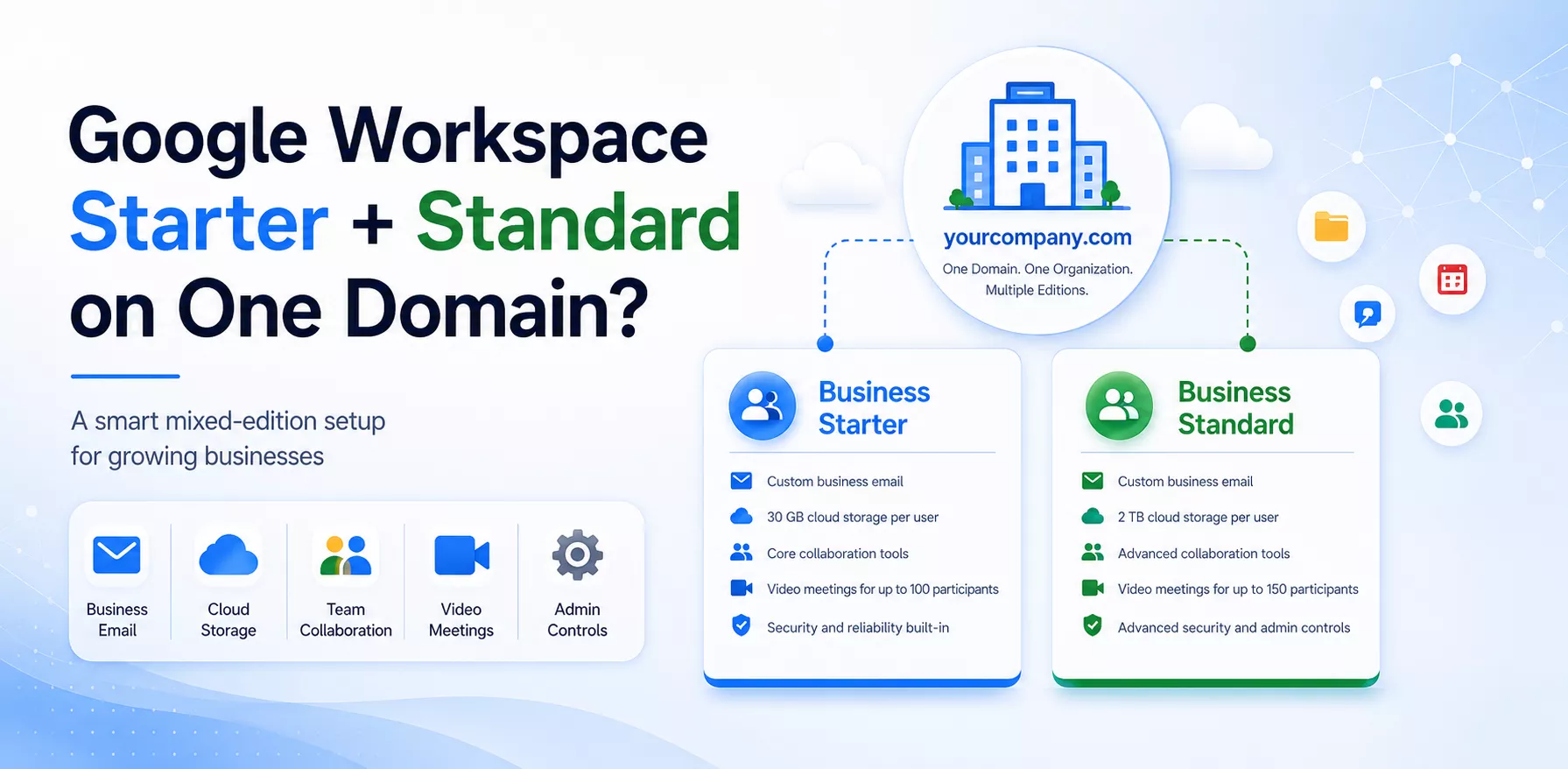
Can Google Workspace Business Starter and Business Standard licences be used together on the same company domain?
The answer is yes, mixed Google Workspace editions may be possible through an authorised Google Workspace reseller, subject to Google’s eligibility requirements and licensing conditions.
Deep Technologies is a Google Workspace reseller and has successfully configured mixed Google Workspace licensing for multiple clients.
What Is Mixed Google Workspace Licensing?
Mixed licensing, sometimes called split licensing or partial-domain licensing, allows an organisation to assign different Google Workspace editions to different users within the same Google Workspace account.
For example, a company with 25 employees may want:
- 20 employees on Google Workspace Business Starter
- 5 managers on Google Workspace Business Standard
- All users working with the same company domain, such as
@yourcompany.com
This approach allows organisations to provide advanced features only to the employees who need them, rather than purchasing the higher edition for every user.
Can You Purchase Mixed Editions Directly from Google?
In a normal self-service Google Workspace subscription, the selected Business edition is generally applied across the organisation. Administrators may not see an option in the Google Admin console to upgrade only a few users from Business Starter to Business Standard.
Google’s standard pricing pages also present Business editions on a per-user basis for all users under the subscription. However, eligible customers may have additional licensing options available through Google Workspace resellers and partner-managed arrangements.
Therefore, businesses that require different editions for different users should consult an authorised Google Workspace reseller rather than attempting to configure the combination directly.
Google Workspace Business Starter vs Business Standard
Both editions provide professional email and access to Google’s productivity and collaboration applications. However, Business Standard includes additional storage and more advanced collaboration tools.
| Feature | Business Starter | Business Standard |
|---|---|---|
| Professional business email | Yes | Yes |
| Pooled cloud storage | 30 GB per user | 2 TB per user |
| Google Meet participants | Up to 100 | Up to 150 |
| Google Meet recording | No | Yes |
| Shared drives | Limited by edition capabilities | Included |
| Noise cancellation and breakout rooms | Limited | Included |
| Gemini in Workspace applications | Limited access | Broader access across Gmail, Docs, Meet and other applications |
| Appointment booking pages | Limited | Included |
| Electronic signatures in Docs and PDFs | Limited | Included |
Google currently lists 30 GB of pooled storage per Business Starter user and 2 TB per Business Standard user. Business Standard also supports meetings with up to 150 participants, meeting recordings, noise cancellation and enhanced collaboration features.
Features can change over time, so businesses should confirm the latest edition details before purchasing licenses.
Who Should Use Business Starter?
Business Starter can be suitable for employees who mainly require:
- A professional Gmail account using the company domain
- Google Calendar
- Google Chat
- Google Docs, Sheets and Slides
- Basic Google Meet functionality
- Standard cloud storage
- Secure access to company communication and collaboration tools
Typical Business Starter users may include administrative employees, support staff, sales representatives, field employees and users who do not manage large files.
Who Should Use Business Standard?
Business Standard may be more appropriate for employees who require:
- 2 TB of pooled storage per user
- Google Meet recording
- Meetings for up to 150 participants
- Shared drives for team-owned files
- Breakout rooms, polls and noise cancellation
- Enhanced Gemini functionality within Workspace applications
- Electronic signatures
- More advanced document and collaboration capabilities
Managers, directors, marketing teams, designers, project leaders and employees who regularly handle large files may benefit from Business Standard.
Example of a Mixed Google Workspace Setup
Consider a business with 30 employees.
The company has:
- 20 employees who mainly use Gmail, Calendar and basic documents
- 5 managers who conduct and record online meetings
- 3 designers who store large creative files
- 2 directors who need advanced collaboration features
Purchasing Business Standard for all 30 employees may provide features that many employees will never use.
A mixed licensing structure could assign:
- Business Starter to the 20 general users
- Business Standard to the 10 users who need additional storage and advanced features
All employees can continue using email addresses under the same company domain while receiving the edition appropriate for their work.
Benefits of Combining Starter and Standard Licences
- Better Cost Management : Businesses avoid purchasing a higher edition for employees who only need essential email and collaboration tools.
- Features Based on Employee Roles : Each employee receives an edition based on their responsibilities, storage requirements and working methods.
- One Google Workspace Environment : Users can remain within the same Google Workspace organisation and continue communicating through the same business domain.
- Easier Future Expansion : As employees’ responsibilities change, their licensing requirements can be reviewed and adjusted, subject to the applicable subscription and contract terms.
- Improved Resource Planning : The organization can allocate advanced storage and collaboration functionality to the departments that genuinely need it.
Important Considerations Before Using Mixed Editions
Mixed Google Workspace licensing is not simply a matter of purchasing one Starter license and one Standard license through the normal checkout process.
Availability may depend on:
- The number of users in the organization
- Existing Google Workspace subscriptions
- Current billing or contractual commitments
- The editions being combined
- Google’s current reseller and licensing policies
- Whether the account is purchased directly from Google or managed by a reseller
- The organization’s technical and operational requirements
Business editions also have a maximum limit of 300 users. Organizations with more extensive requirements may need to consider the Enterprise edition.
A reseller should review the Google Workspace account before confirming whether mixed licensing can be implemented.
Can an Existing Google Workspace Account Be Converted?
In many situations, an existing Google Workspace customer can transfer the management of its subscription to an authorized reseller.
The reseller can then review:
- The current Google Workspace edition
- The number of active and suspended users
- Storage consumption
- Existing billing commitments
- Renewal dates
- User roles and feature requirements
- The suitability of a mixed-edition configuration
The exact migration or conversion process depends on the existing subscription and Google’s current eligibility rules. Businesses should not cancel an active Google Workspace subscription without professional guidance, as an incorrect cancellation could disrupt email services or affect stored data.
How Deep Technologies Can Help
Deep Technologies assists businesses with the purchase, migration, configuration and ongoing management of Google Workspace.
As a Google Workspace reseller, we can:
- Review your existing Google Workspace account
- Analyze the requirements of different users
- Recommend suitable editions for each user group
- Check eligibility for mixed Google Workspace licensing
- Configure Business Starter and Business Standard licenses where permitted
- Transfer reseller management without changing the company domain
- Assist with Gmail and Google Drive data migration
- Configure users, groups and organizational units
- Set up SPF, DKIM and DMARC email authentication
- Provide ongoing technical and administrative support
We have successfully implemented combined Google Workspace editions for multiple clients, helping them balance functionality, storage requirements and licensing costs.
Frequently Asked Questions
Can Business Starter and Business Standard users have the same email domain?
Yes. When a mixed-edition configuration is approved and correctly provisioned, users can continue using email addresses under the same company domain.
Can I upgrade only one employee to Business Standard?
This may not be available through a normal self-service Google Workspace subscription. Eligibility for a split configuration must be checked through an authorized reseller.
Will Starter and Standard users be able to email each other?
Yes. Users remain part of the same organization and can communicate normally through Gmail, Google Chat, Calendar and other enabled Google Workspace services.
Will every user receive the same amount of storage?
Storage entitlements depend on the assigned editions and the organization’s pooled-storage configuration. The reseller should review how storage will be allocated and managed before implementation.
Can licenses be changed later?
Licensing may be adjusted as business requirements change, but the available options can depend on the subscription plan, renewal date and contractual commitment.
Can we transfer our existing Google Workspace account to Deep Technologies?
Eligible Google Workspace subscriptions can generally be transferred to an authorized reseller without changing users’ email addresses or company domain. The account should be reviewed before initiating the transfer.
Conclusion
Using Google Workspace Business Starter and Business Standard on the same domain can be an effective solution for organisations whose employees have different storage, meeting and collaboration requirements.
However, this type of setup may not be available through the standard Google Workspace self-service purchasing process. It should be planned and implemented through an experienced Google Workspace reseller after checking the organisation’s eligibility and existing subscription conditions.
Deep Technologies can review your requirements and help you create an appropriate Google Workspace licensing structure for your organisation.
Contact Deep Technologies today to discuss mixed Google Workspace editions for your business.
Support for eMail
supportmail@deepit.com
+91 99 789 369 78
Support for Web
supportweb@deepit.com
+91 99 789 369 56